A guide for producers
Open an account, propose your first batch.
Every screen in the order you meet it, with the thing to press ringed on the picture. Twenty minutes the first time. Ten for every batch after that.
Download it as a PDF ↓Part one
Create your account.
Three fields and a password.
1Press Log in, top right of any page, then “Create an account”.
There is no separate sign-up button. Everything starts at the same door.

2Choose Produce, then fill in three fields.
Produce is what makes this a producer account. You can add Eat later, on the same account.
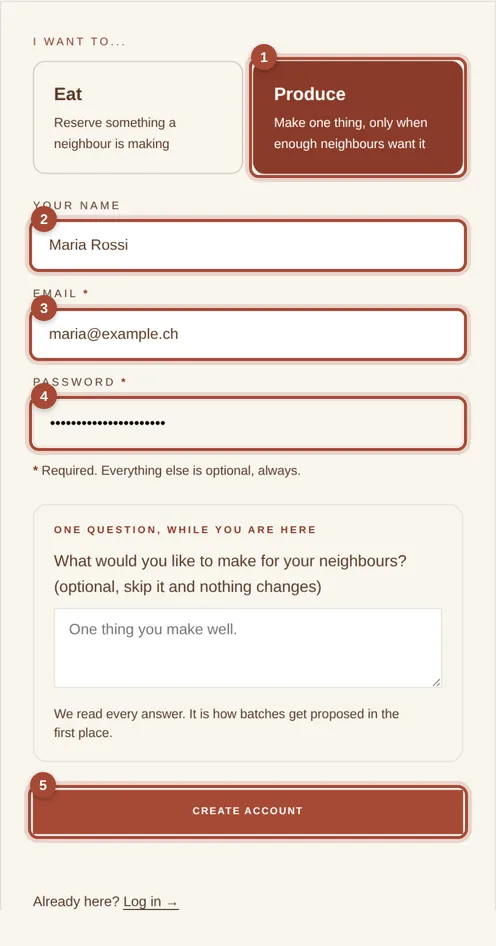
- 1Produce
- 2Your name
- 3An email you actually read
- 4Password
- 5Create my account
Part two
Fill in your profile.
Four steps with a progress bar. Stop halfway and what you typed is kept.
3Tick “Cook food”, then the basics.
That tick is what reveals the producer sections. Your Kreis is how neighbours near you find your batches; your phone is for us, not for the public.
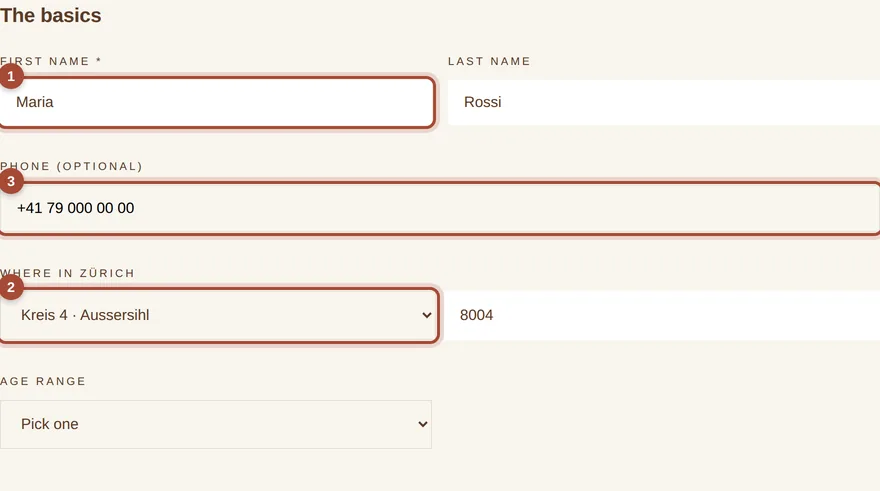
- 1First name
- 2Kreis
- 3Phone
4What you make.
Be specific rather than broad. “Ligurian focaccia” finds its neighbours; “baking” does not. The story is the part people read twice, so write it the way you would say it aloud.
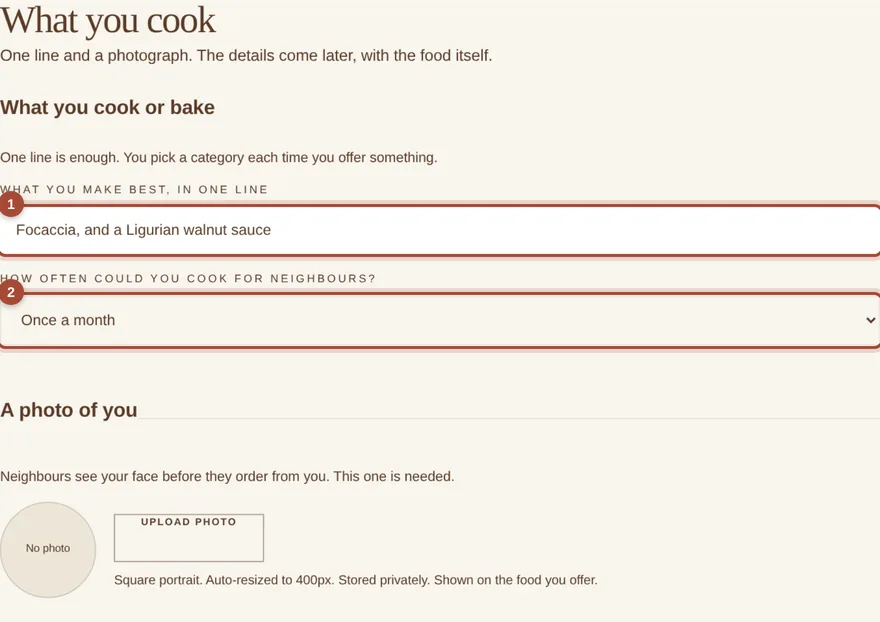
- 1What you cook
- 2How often, honestly
- 3Your story
5Your kitchen: photograph, food safety, liability.
The serious page, and a short one. You declare that you cook in a clean private kitchen, that you will list every ingredient and major allergen accurately, and that you stand behind the food you hand over. Read it rather than skim it. Your typed name is the signature, and it is kept with the date.
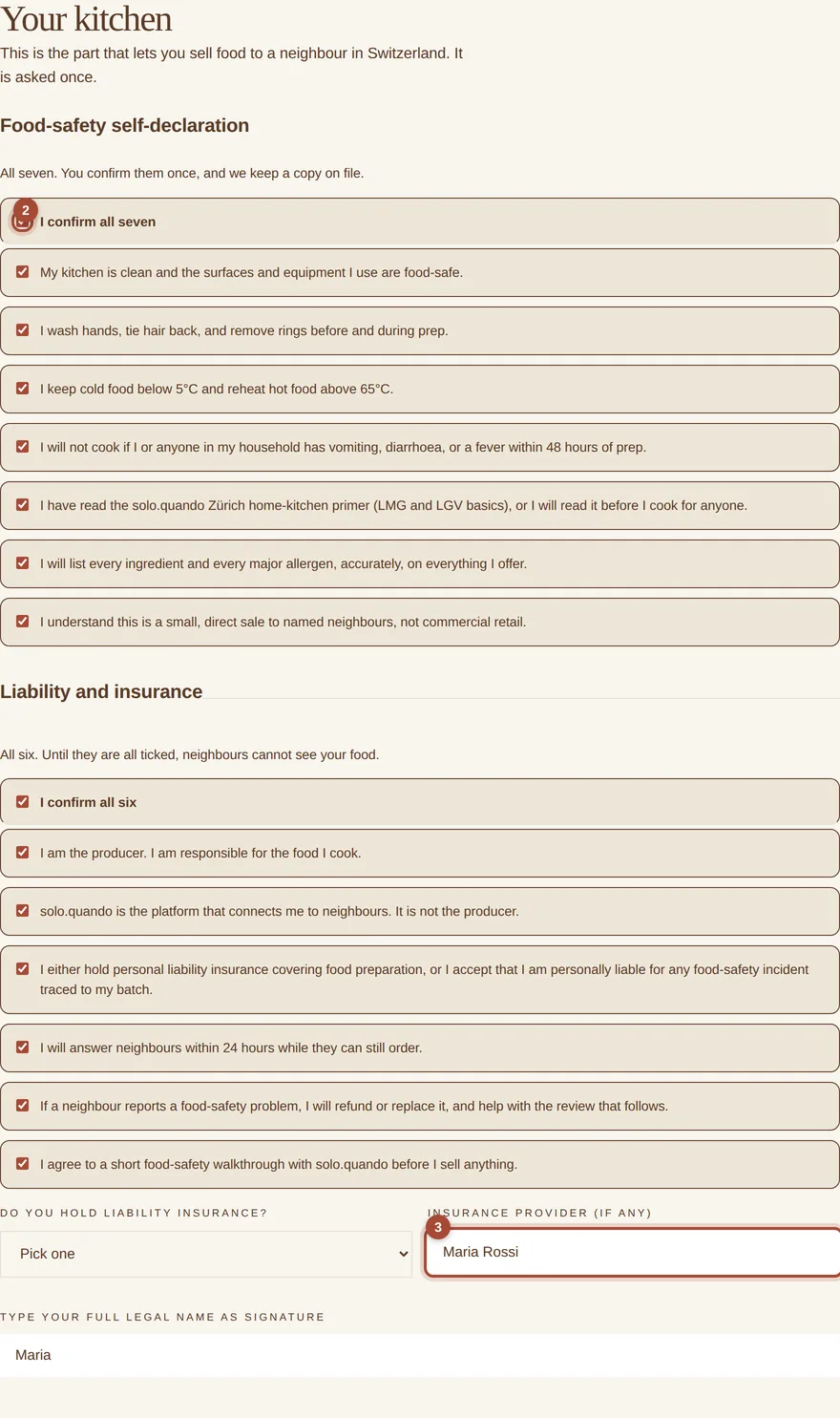
- 1Upload your photo
- 2Tick each declaration
- 3Sign your full name
Part three
Propose your first batch.
Six sections on one page, from your account at soloquando.ch/me.
61 · The batch.
One product per batch. Focaccia and a sauce are two batches, and they can run at the same time.
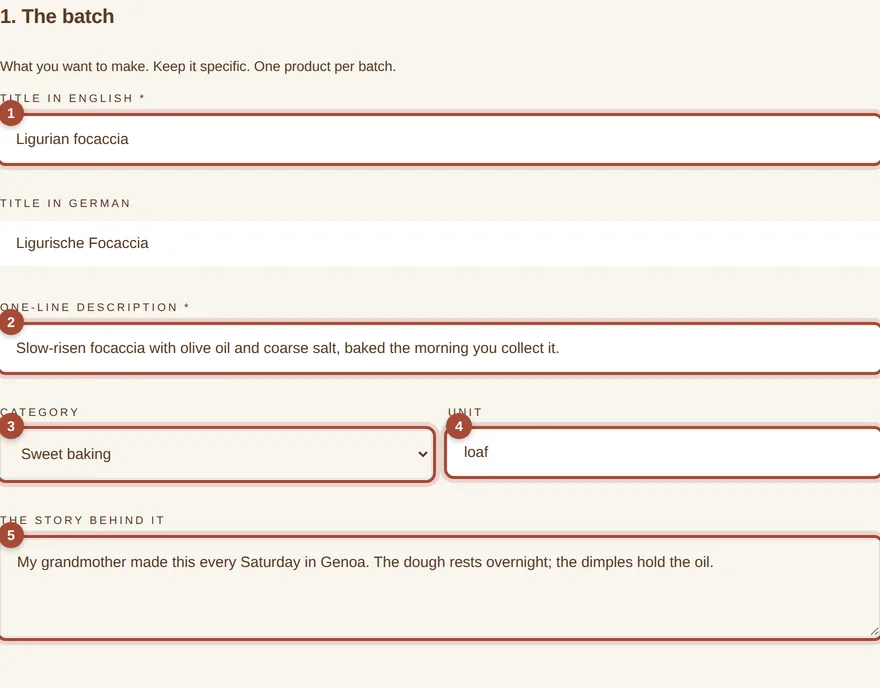
- 1Title
- 2One line for the card
- 3Category
- 4Unit
- 5The story
72 · Recipe and what is inside.
Every ingredient in plain language, one per line. The allergen boxes matter most: someone with a nut allergy will read them and trust them. Tick only what is true, and everything that is.
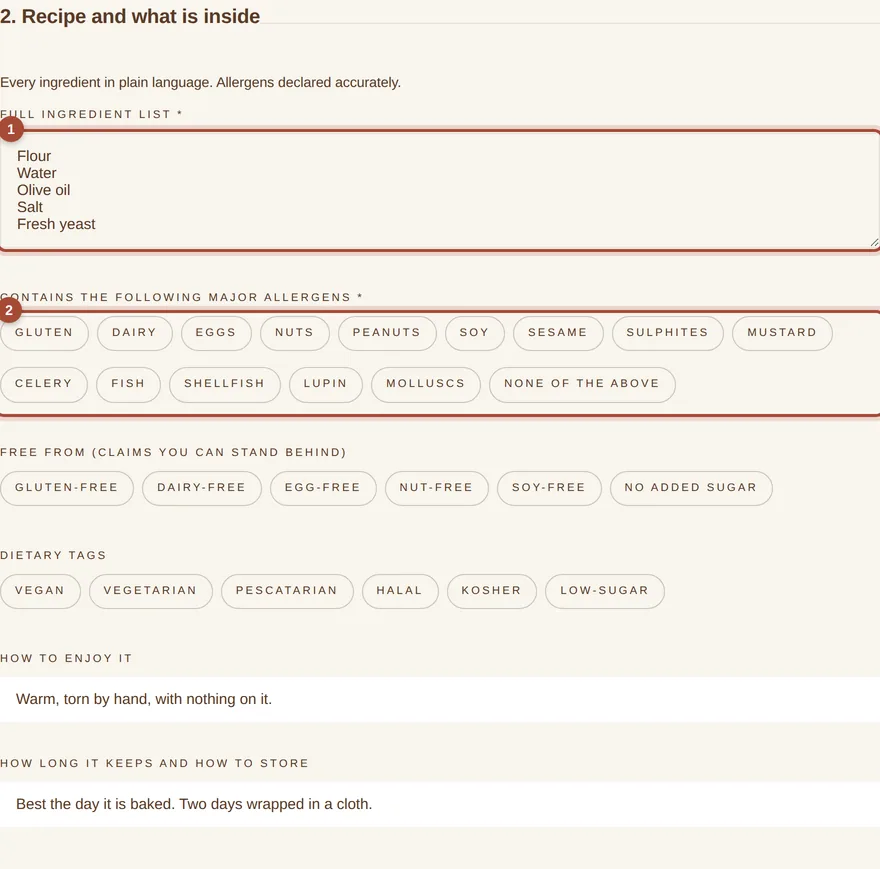
- 1Ingredients, one per line
- 2Every allergen it contains
83 · Numbers.
The price you type is the price you receive. Underneath, the page does the arithmetic out loud: what you take home if it just fills, if it sells out, and what the neighbour sees.
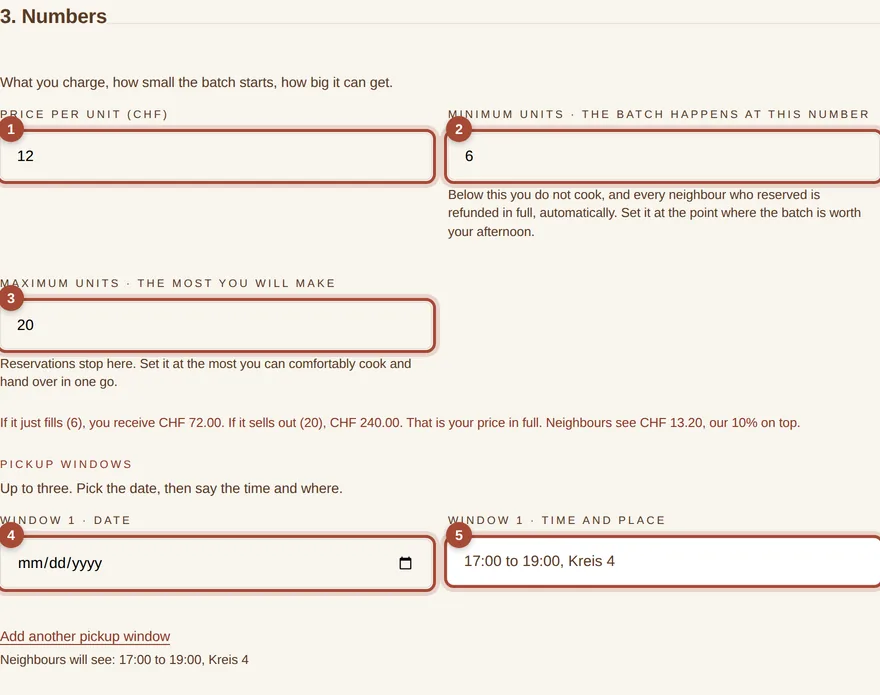
- 1Your price
- 2Minimum
- 3Maximum
- 4Pickup date
- 5Time and place
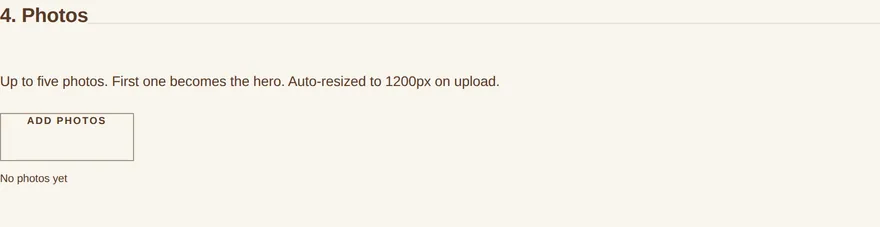
94, 5 and 6 · Photographs, confirm, sign, submit.
Three to five photographs; the first becomes the card a neighbour sees. The confirmations are about this batch rather than about you in general: this recipe, these allergens, this pickup. Then your name, and the button.
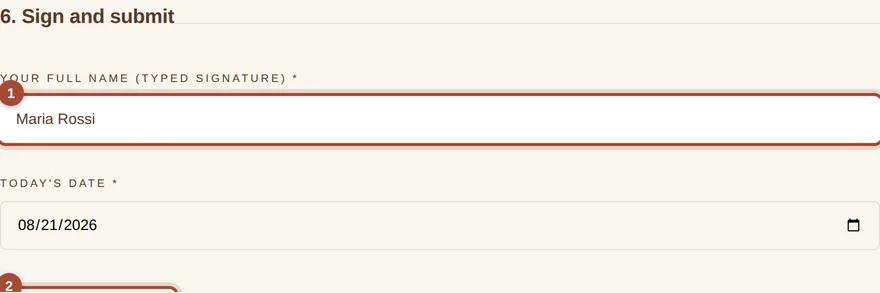
- 1Your full name
- 2Submit for review
Part four
After you submit.
What happens, in order.
| Within 48 hours | A person reads it. If something needs changing we write and name it. Nothing goes live without you seeing it. |
| While it is open | Neighbours reserve and pay. Watch the count on your account page. One reminder if it is short and close to the deadline, never two. |
| It reaches your minimum | Confirmed, and the money is yours before you buy anything. |
| It closes short | You do not cook. Everyone is refunded automatically and in full, before the pickup day. You owe nothing. |
| Pickup day | You hand it over yourself, at the window you set. Only the people who collected can review it. |
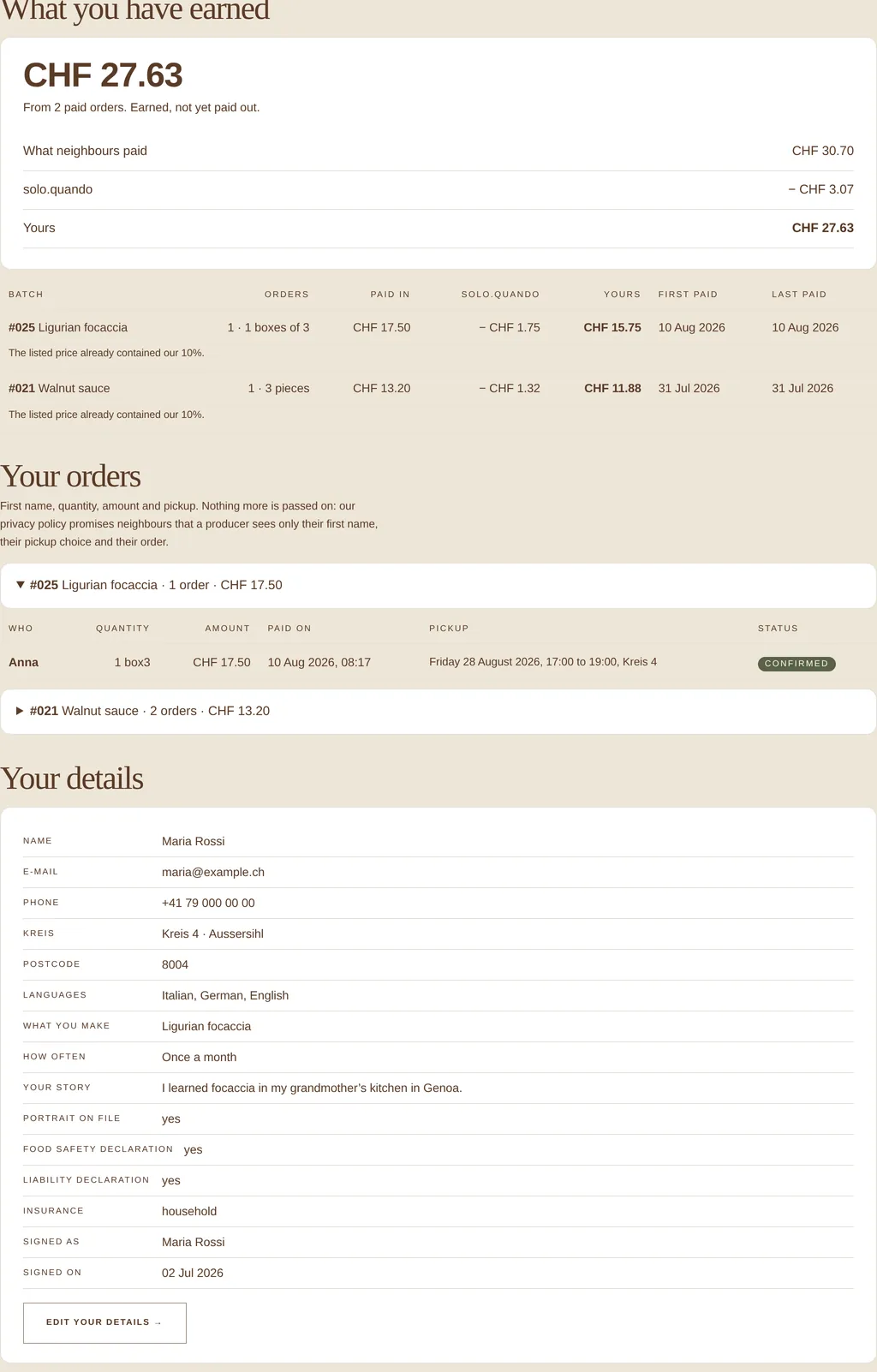
10Your account page holds all of it.
What you earned, per batch and altogether, with dates. Every order. Your own details, to change whenever you like. You can edit a live batch from here too: because it may already have paid orders, the change comes to us and we approve it the same day.
Questions, or a screen that looks different from a picture here:
hello@soloquando.ch. A person answers, usually the same day.
Download this guide as a PDF ·
For producers ·
soloquando.ch
Screens photographed from the live site. Names, numbers and orders in the examples are invented.